Memotron Web Clipper
Capture the web into your memory
Cover image
01/08
02/08
Problem
Users frequently discover valuable information while browsing the web, but capturing it remains inconvenient. They need to switch between apps or manually copy content, which interrupts their natural workflow and reduces efficiency.
03/08
Goal
Design a Chrome extension that enables users to seamlessly capture and organize web content within Memotron’s knowledge system, without interrupting their browsing experience.
04/08
Exploring Existing Patterns & Constraints
My first step was to understand the constraints of designing within a Chrome extension environment. Unlike traditional applications, browser extensions operate under strict API limitations and predefined UI patterns set by the browser. Before committing to any interaction model, it was important to evaluate what was technically feasible.
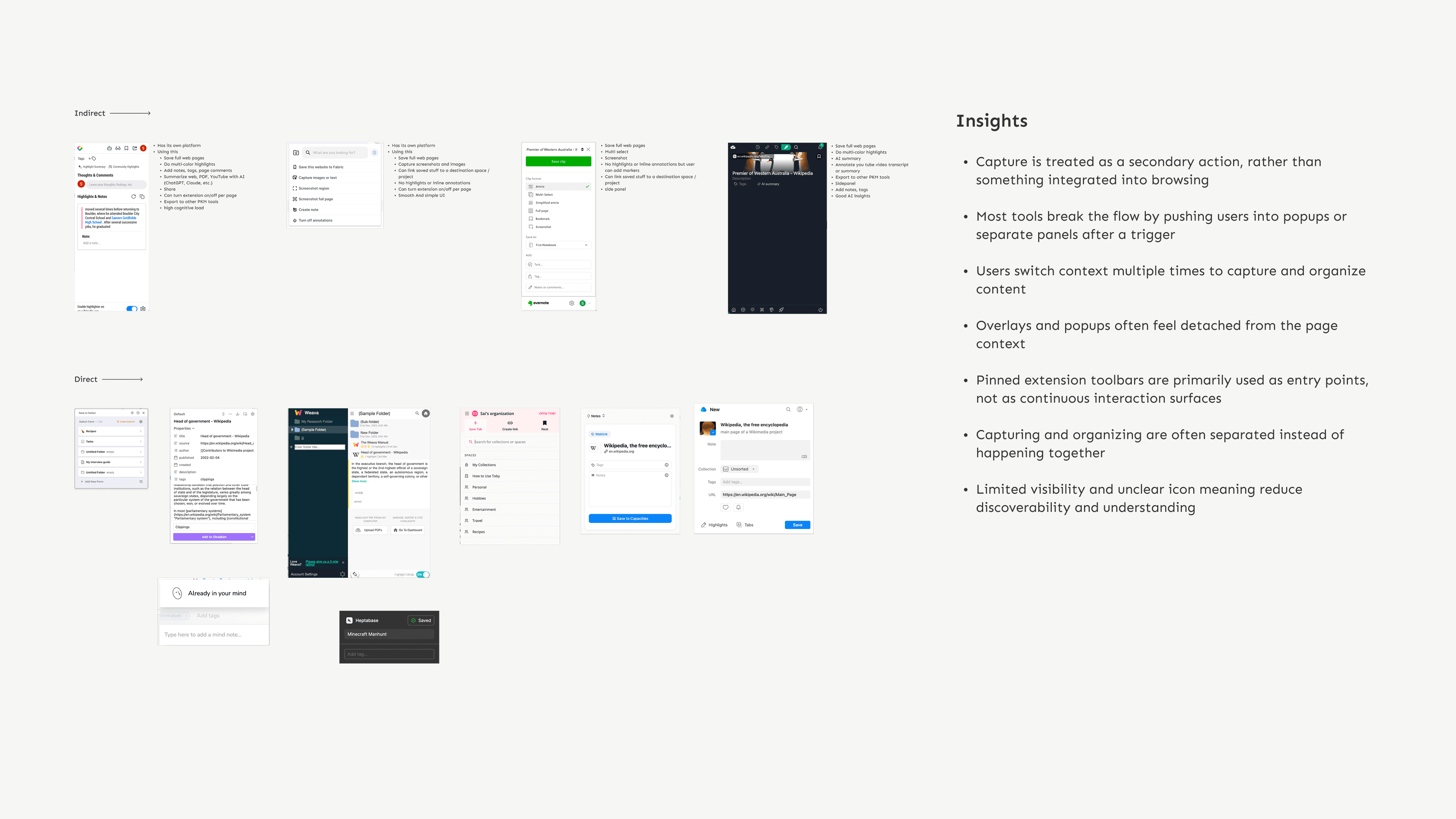
Existing clipper approaches
While analyzing existing tools, I observed that despite variations in design approaches, most rely on the same entry point, the pinned extension icon. This raised an important question: Can the entry point itself be reimagined to create a more seamless and integrated experience?
05/08
Early Concept Explorations
After understanding common extension patterns, I began exploring how a clipper could exist alongside the browsing experience without interrupting the reading flow.
The exploration focused on two main questions: how capturing could be presented as the primary action, and how captured content should be reviewed or linked.
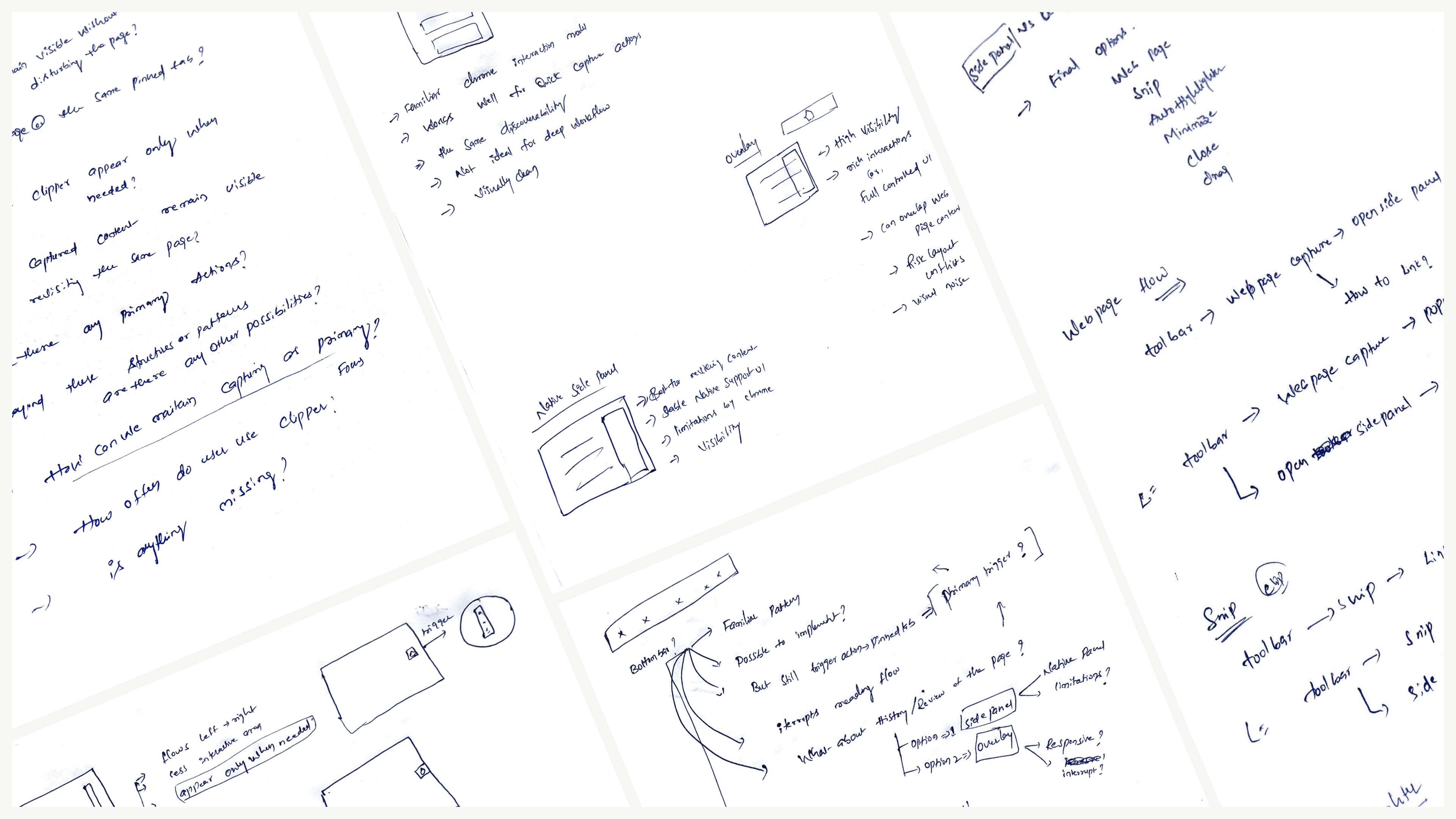
Early concept explorations
06/08
Seamless Capture Experience
The final experience reimagines web capture as an integrated part of browsing rather than a separate action. It brings together multiple interactions to support quick capture, organization, and connection of content in a continuous flow.
The experience begins with a lightweight launcher that expands into a contextual toolbar, enabling users to capture content without leaving the page.
Capture Entry
To keep the clipper accessible without occupying screen space, I introduced a launcher that stays docked to the page edge and expands into the capture toolbar when needed. This approach keeps the tool discoverable while avoiding interference with the webpage layout and reading flow.
Launcher
Toolbar
The toolbar provides the primary capture actions directly within the webpage. Once activated, it expands to enable quick access to capturing webpages, snippets, highlights, and the side panel.
The vertical layout keeps controls aligned to the page edge, minimizing interference with the main content. This allows users to capture information quickly without leaving the page.
Webpage Capture
Saving a webpage serves as the entry point for capturing information. Once saved, it becomes the parent node, preserving the source context for multiple related pieces of content.
This reinforces Memotron’s structure and encourages users to anchor their information to a source.
Webpage capture
Snip
Not every capture requires saving the entire webpage. Snip allows users to select and save only the relevant portion of the content while linking it to nodes or collections in Memotron. This keeps captures lightweight while maintaining connections within the knowledge structure.
Snipping
Annotation
While reading, users often need to mark key ideas without breaking their flow. Annotation allows users to highlight text directly on the page, with both manual and auto highlight modes to reduce repeated interactions. This supports continuous annotation as part of the capture process.
Annotating content in context
Video Capture
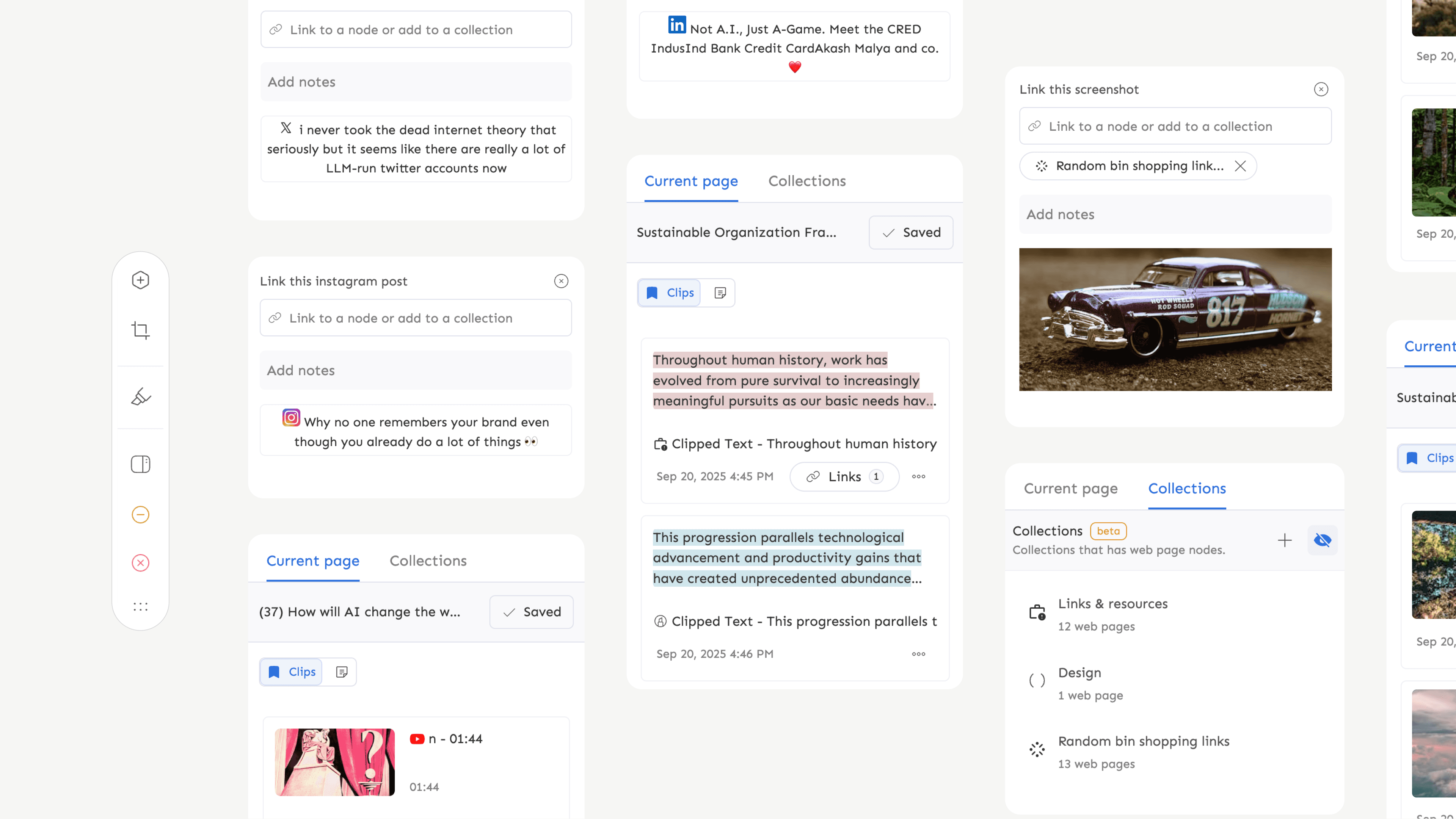
Video capture allows users to bookmark timestamps while watching, preserving exact moments within their source. These captures can be linked to nodes or collections based on user intent, keeping the process flexible and lightweight.
This brings time-based content into the capture system, starting with YouTube and extending to other platforms.
Bookmarking moments within a video
Other Capture Contexts
Memotron’s capture system extends beyond webpages and videos to support formats such as social content and reading highlights (e.g., Kindle). It adapts to different content types while maintaining a consistent capture experience.
07/08
Takeaways
This project gave me the opportunity to explore how capture tools can remain accessible without interrupting the natural browsing experience. While designing the clipper, I focused on balancing visibility with minimal disruption to the webpage, exploring different interaction models before arriving at the launcher and toolbar approach.
Working closely with engineering also helped me understand how browser extensions behave differently from traditional web interfaces, particularly when dealing with overlays, side panels, and page-level interactions.
In the end, the goal was to deliver a tool that feels lightweight and intuitive while still supporting Memotron’s broader knowledge structure. The final system allows users to capture information quickly while subtly guiding them toward organizing their knowledge through nodes and linking.
08/08
Future Directions
Collections in the clipper act like bookmark folders for web links. Future iterations could explore allowing users to create or manage collections directly during capture, helping them organize new links without leaving the browsing flow.
The current implementation focuses on YouTube to support timestamp-based capture. As we learn more about how users capture insights from video content, future iterations could extend this capability to additional video platforms.
As audio becomes an important source of knowledge future exploration could include ways to capture key moments from audio while preserving the context of the source.
While the current system relies primarily on Snip for visual capture, future iterations could explore dedicated image capture workflows that allow users to collect and organize visual references more effectively.